Windows 7 Setup
On Windows open “Computer”. Click on Map Network Drive.

Similar window will be shown.
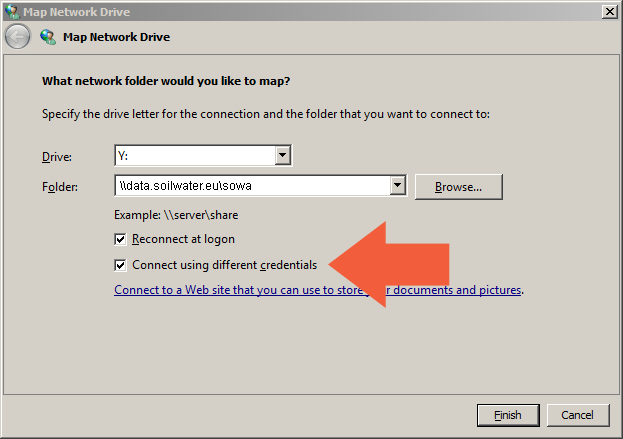
Enter your the connection parameters. You can choose any letter from the list which will be assigned to the network folder.
Check Connect using different credentials (you will enter different credentials, not those you use for accessing your computer).
You can also setup auto reconnection if you want to have the folder available next time you will login to your computer. If is this the case, check Reconnect on logon.
Submit using the Finish button.
The system should prompt for your shared folder login and password.
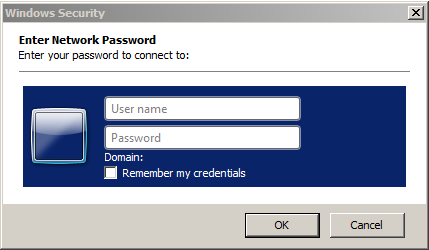
Enter your username, password and confirm.
Warning
The username must be prefixed with the share domain name something like: SOWA-SRV\<YOUR-LOGIN>
Hint
Repeat this procedure for each shared folder you have access to.