Laboratory
The laboratory PCs are setup to allow to login with a shared account or using your personal SoWa Account credentials. The password to the shared account is available in the lab.
Accounts
Login |
Account type |
Automatically connects network folders |
|---|---|---|
Lab |
|
no |
SoWa Account Login |
|
yes |
Warning
Inactive accounts are deleted after 365 days.
Login
To login using your personal SoWa Account please select SoWa Account from the list on the bottom left on the lock screen. After successful login to the machine, local account is created, so you can use that account later.
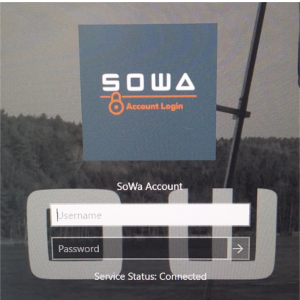
The network folders folders are automatically connected after login as:
Share name |
Driver letter |
|---|---|
|
Z: |
|
P: |
|
S: |
Tip
If you want some special software to be installed, please contact support.
Printing and Scanning
You can print and scan on a network printer CANON located in the room no. 133/B (more information).
Troubleshooting
The keyboard or mouse does not work
Please check that both the keyboard and mouse are turned on.
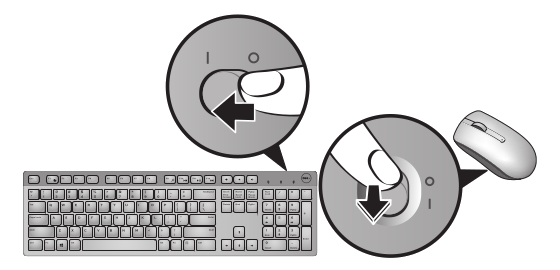
Detailed keyboard and mouse troubleshooting can be found in the keyboard and mouse manual.
Tip
Blinking amber indicates that the battery level is low. Please contact support.
Login fails
If the login fails with a message like: Failed to authenticate user: <your-username>....
Check Username and Password
Make sure you provide valid username and password.
Check Network Connection Status
Make sure, that the machine is connected to the network (may take some time). The network status icon (located in the bottom right corner) should look like  .
.